
See the business behind the day.
Business reporting for dog daycare and boarding owners, with building performance, source-number inspection, capacity forecasts and daily reconciliation.
Book a demo
Compare buildings at a glance.
Compare buildings at a glance, then open the one you want to explore. Daycare attendance, kennel nights and money belong to a period and a building, with their own capacity and working context.
Enter a building to see its operating day, or stay at the business level to compare the picture.

Open the figure. See how it was counted.
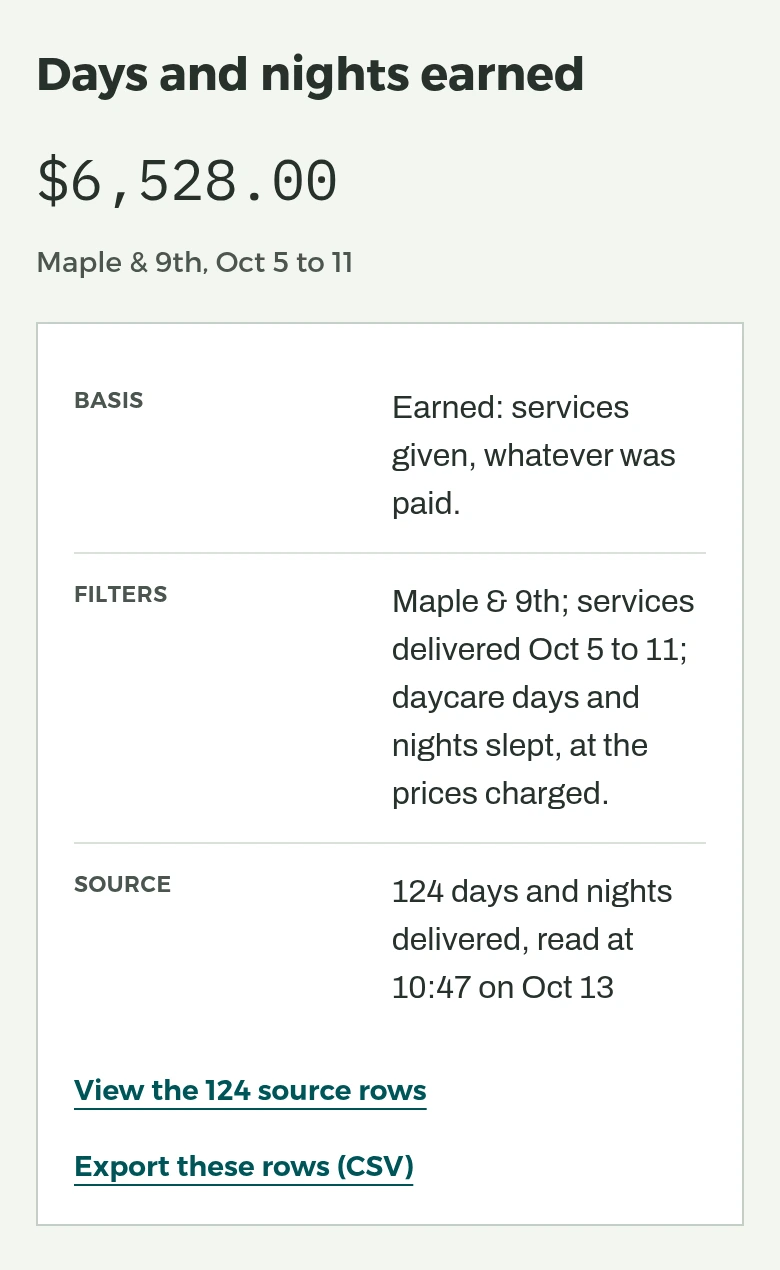
The Number Inspector shows how earned revenue was counted, with the period, filters and source entries together. Follow the selected entries into the original records or export those same rows.
See money collected, care earned and unused package value side by side, with the records behind each figure.
The definition and filters stay beside the number, so your bookkeeper can see exactly what it includes.
Look ahead with the assumptions visible.
The forecast starts from bookings, recurring patterns and the rules in force. Its assumptions remain visible: a paused standing schedule stays paused, daycare respects closed days and boarders stay as booked.
Look ahead at bookings, room availability and staffing together. Open a date to see the visits and people behind the plan.

Close the day with its sources in view.
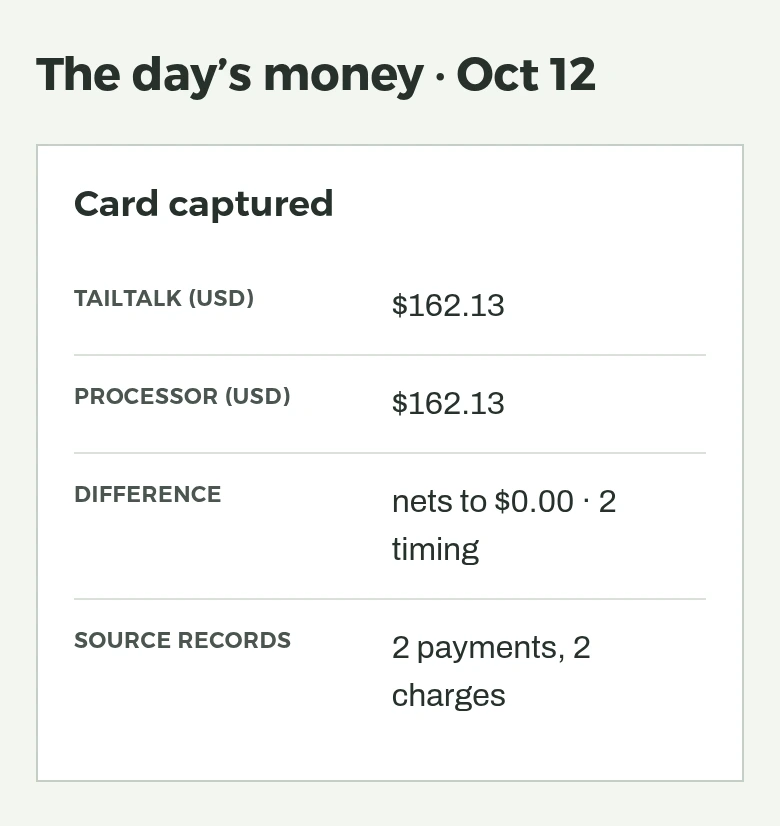
Daily close compares the operating ledger, processor and cash drawer, with differences and their explanations kept on record. A timing item shows when money is expected to clear, and the completed close keeps who closed it and when.
Follow the payments, refunds and fees behind each payout, then export financial records for your bookkeeping process.
The owner’s oversight extends to access and records. Specific approvals keep sensitive amounts and actions explicit. Audit context and self-service exports make it possible to inspect what happened and take the records with you.
A few practical questions.
Are payments and revenue the same figure?
No. TailTalk distinguishes money paid, service earned and prepaid value. The source-number view explains the basis and filters for the figure.
Can we look across more than one building?
Yes. Compare the business across buildings, then open each location’s bookings, people and financial records.
Can we export financial records?
Yes. Export the selected source rows from the financial views and use accounting exports alongside your existing bookkeeping process.

A company
you can talk to.
Take a look around the bookings, care and business tools built for your day.
20 minutes. Video or phone.
Book a demo